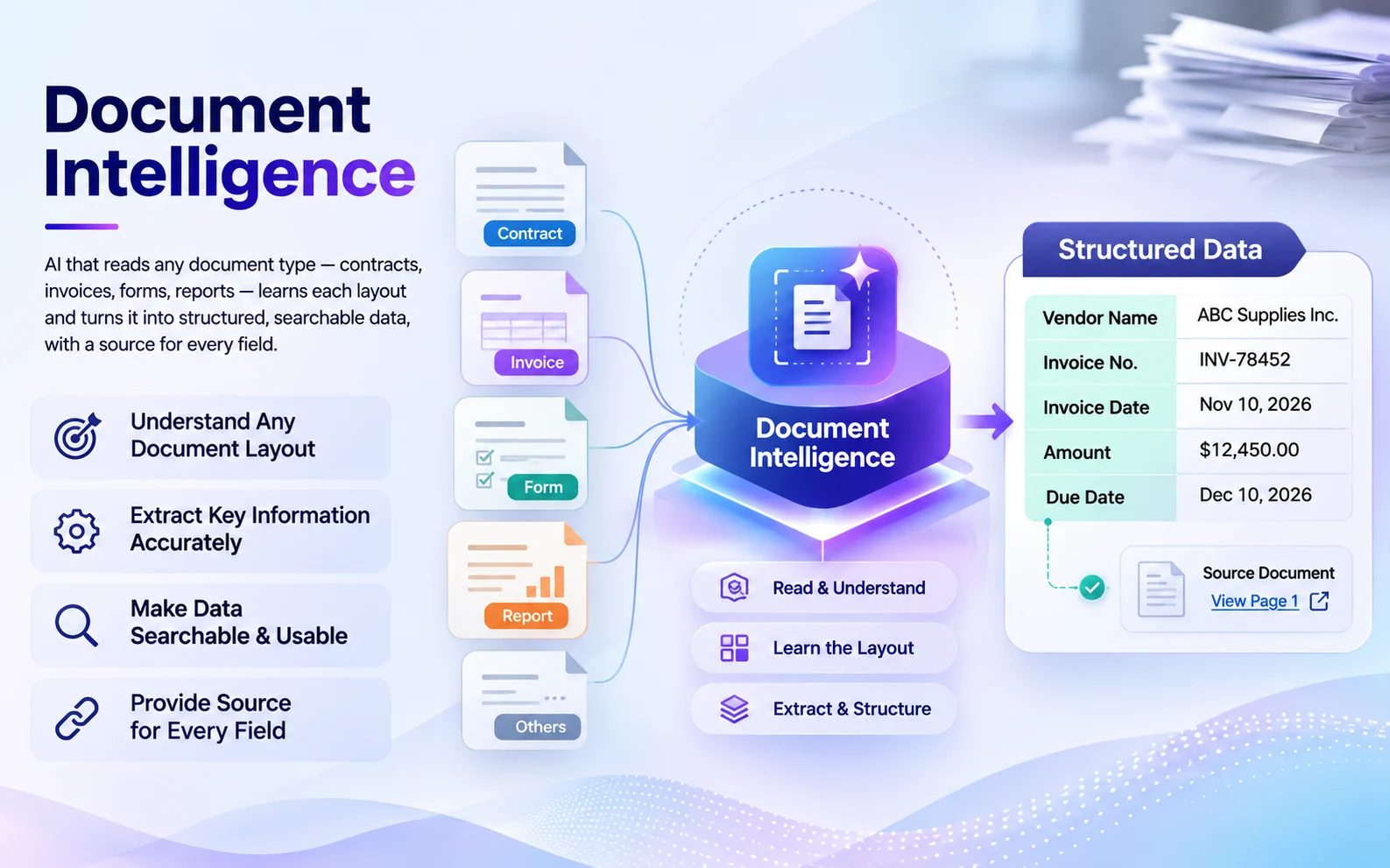
Document Intelligence: From Messy Files to Structured Data You Can Verify
Contracts, invoices, forms and reports arrive in different formats and layouts. Document intelligence can turn their contents into usable business data—but the real test is whether each important field can be traced back to reliable evidence.
Architecture & automationFor IT leaders and solution architectsReading time: 9 minutes
In short: document intelligence combines text recognition, layout understanding, field extraction, validation and human review to produce structured information from files. A trustworthy design also stores field-level provenance: where each value came from, what transformation was applied and whether it was verified. It does not guarantee perfect handling of every format or layout.
Why copying text from a PDF is not enough
Consider a finance team receiving invoices from hundreds of suppliers. One vendor places the total at the top right; another places it beneath a line-item table. Some invoices are native PDFs with selectable text. Others are scanned images or photographed pages. A simple rule that extracts the text next to “Total” may work on one invoice and fail on the next.
Optical character recognition (OCR) is the first part of the answer. OCR converts visible text in a scan or image into machine-readable characters. It does not, by itself, establish whether ₹18,450 is a subtotal, tax amount, amount already paid or balance due. That requires understanding the relationship between words, table cells, document sections and the business process using them.
Document intelligence adds that structure. It aims to identify the document type, extract useful fields into a defined schema and make the result available to search, analytics or downstream systems. Providers such as Microsoft, Google Cloud and AWS expose document elements, tables, key–value relationships and positional metadata in their document-processing APIs [1–3].
What a document intelligence pipeline actually does
A reliable implementation is a pipeline rather than a single model call. The sequence below is a reference architecture, not a claim about any particular deployed system.
Reference workflow
01IngestFiles and metadata
02Read & classifyText, pages, layout
03ExtractFields and tables
04ValidateRules and review
05PublishData and evidenceFigure 1. A proposed end-to-end workflow. Source references should be retained throughout, not added after extraction.
1. Ingest and preserve the original
Accept supported file types such as PDFs and images, and optionally Office documents or other sources through format-specific parsers. Record a document identifier, its version or content hash, ingestion time and access permissions. Preserve the original file so reviewers can later inspect the exact evidence the system processed.
2. Recognise text and document structure
Native text extraction or OCR produces words and their positions. Layout analysis then reconstructs reading order, paragraphs, sections, tables and form relationships. A document classifier can decide whether the file is an invoice, agreement, application form or report—and whether different pages belong to different documents.
3. Extract fields into a business schema
A schema defines what the business needs, not just what the document contains: for example, supplier_name, invoice_number, due_date and amount_due. Extraction may use a specialised model, a custom-trained extractor, rules or a language model. For contracts, a field might be an effective date or a clause span rather than a single number.
4. Normalise, validate and route exceptions
Convert extracted representations into consistent types—for example, “18 Nov 2026” to a date object—without discarding the original text. Then apply business checks: does the invoice total reconcile with its lines and taxes? Is the supplier known? Is a required signature missing? Ambiguous or high-impact cases should be sent to a person for review.
5. Deliver searchable data with its evidence
Store approved data in a database or search index; pass it to an enterprise resource planning (ERP), customer relationship management (CRM) or case-management workflow as appropriate. Keep a link from the structured value to its original file, page and region. Permissions on the source should also govern who can view the extracted result.
Does the AI really “learn every layout”?
“Learns each layout” can describe several very different mechanisms. A fixed template expects fields in known positions. A layout-aware model uses visual and textual relationships to work across variations. A custom extractor is trained or fine-tuned on representative examples. A foundation-model approach can sometimes extract fields from previously unseen structures using a field description and a few examples.
These approaches are not interchangeable. Google Cloud distinguishes template-based, custom-trained and foundation-model extraction according to the variability of the documents; Microsoft provides prebuilt and custom document models [2, 4]. Adaptability must be measured against the layouts actually encountered, especially after suppliers change their templates or new languages appear.
More importantly, processing a new layout is not the same as permanently learning from it. Saving reviewer corrections, updating schemas and retraining or configuring a model are deliberate engineering activities. Unless a product explicitly implements a governed feedback mechanism, do not assume that one corrected document will make all future extractions better.
Why “a source for every field” changes the design
Structured output is useful; inspectable structured output is much easier to trust. A reviewer should be able to select Amount due and see the corresponding words highlighted on page two of the original invoice. This is field-level provenance: the evidence and processing history associated with a value.
INVOICEIllustrative
Invoice no.INV-2041
Date18 Nov 2026
SubtotalINR 17,000.00
TaxINR 1,450.00
Amount dueINR 18,450.00
Structured output
INR 18,450.00
Field: amount_due
Evidence: page 2, highlighted region
Review state: validation required
Linked to source
Figure 2. Illustrative data, not a real customer document or measured extraction result.
A practical provenance record includes the document ID and version, page number, text span or bounding polygon, verbatim evidence text, the extracted and normalised values, model or rule version, review state and any correction history. Microsoft supports spans and bounding regions; Google Document AI exposes text anchors and page anchors; AWS Textract exposes geometry and relationships between content blocks [1, 3, 5].
Here is a simplified illustrative schema. The normalised coordinates refer to a region on the page, with values between 0 and 1. It is not the response format of any specific vendor API.
{
  "document_id": "doc-2041",
  "document_version": "sha256:example-hash",
  "field": "amount_due",
  "raw_value": "INR 18,450.00",
  "normalised_value": { "currency": "INR", "amount": 18450.00 },
  "source": {
    "page": 2,
    "text": "Amount due INR 18,450.00",
    "box_xyxy": [0.62, 0.73, 0.94, 0.78],
    "coordinate_system": "normalised_0_to_1"
  },
  "status": "needs_validation"
}
The distinction between extracted, normalised and inferred fields matters. A currency conversion or tax calculation may be derived from several source fields rather than copied from a single visible location. In that case, the honest provenance is a reference to the inputs and transformation rule—not a fabricated highlight in the original file. Google’s documentation also distinguishes raw fields from normalised and enriched values [5].
Where this design helps—and what can go wrong
| Document | Useful structured output | Common failure to test |
|---|---|---|
| Invoices | Supplier, invoice number, totals, tax, line items | Subtotal confused with amount due; split tables |
| Contracts | Parties, dates, obligations, renewal clauses | Negations, amendments or clauses spanning pages |
| Forms | Applicant fields, selections, signatures | Unchecked boxes, handwriting or crossed-out values |
| Reports | Entities, periods, metrics, referenced passages | Wrong reporting period or lost chart/table context |
Some constraints are document quality issues: blurred scans, rotated pages, handwriting, mixed languages and tables with irregular structure. Others are workflow issues: changed supplier layouts, contradictory fields, duplicate files or documents that contain sensitive information. Even a visually plausible result can be wrong in a way that matters to the business.
Security is part of the architecture. Teams need access control for source files and searchable output, policies for retention and deletion, encryption where appropriate, and an auditable correction trail. When generative models are used, the document’s text is untrusted input; instructions embedded inside a contract or attachment must not be allowed to override the application’s extraction rules or authorisation boundaries. NIST’s AI Risk Management Framework offers a useful general structure for managing such risks [6].
How to evaluate a document intelligence pilot
Start with a representative, permissioned sample covering the document types, suppliers, languages, scan quality and difficult cases expected in production. Hold out test documents that were not used for model configuration. Measure performance per field and document type, not only as a single headline accuracy number.
- Extraction quality: correct values, missed fields, incorrect values and false matches for each field.
- Traceability coverage: the proportion of output fields with valid, inspectable evidence or explicit derivation records.
- Review and exception burden: how often people intervene, how long review takes and which error categories recur.
- Workflow reliability: duplicate handling, retries, access controls and correct integration with downstream systems.
- Change resilience: performance on newly introduced layouts and documents collected after deployment.
Set approval thresholds according to business impact. A wrong address on a low-risk internal note is not the same as an incorrect payment amount or missed contractual renewal date. Confidence scores can help prioritise review, but they are model outputs—not substitutes for measured accuracy or business-rule validation.
Design for evidence, not just extraction
Document intelligence becomes valuable when it produces data that other systems can reliably use. The strongest implementations combine flexible parsing with explicit schemas, validation, human oversight and a durable link to source evidence. That makes the output not merely searchable, but reviewable and auditable.
For organisations exploring this approach, a sensible first step is a narrow pilot: choose a high-volume document family, define the fields that matter, build an evaluation set and establish what counts as sufficient evidence before automating consequential actions.
Technical references
- Microsoft Learn, Analyze document API response — content spans, structured elements and bounding regions.
- Microsoft Learn, Custom document models — model training, custom extraction and classification.
- Amazon Web Services, Analyzing documents with Amazon Textract — form, table and geometry output.
- Google Cloud, Document AI extraction overview — fixed-layout, custom and foundation-model options.
- Google Cloud, Handle processing response — text anchors, page anchors and normalised data.
- NIST, AI Risk Management Framework — governance and measurement of AI risk.